Introducing Timeline View: Automatic Organization for Your Local Photos
Stop organizing folders. PictaCast now automatically groups your photos by date using EXIF metadata, all while keeping your files 100% private.
PictaCast Team
Since relaunching PictaCast as a web app, one of the most common requests we've received is for a better way to navigate massive photo collections. People love the simplicity of picking a local folder and casting it to the TV, but what if your "Pictures" folder is a giant chaotic dump of 15,000 photos spanning ten years?
Nobody has the time to sit down and manually sort thousands of images into neat "2023 > Summer Vacation" folders just to make casting them manageable. You shouldn't have to.
Meet the new Timeline View
Starting today, when you add a folder to PictaCast, we don't just list the folder. We quietly go through every single photo and extract its hidden EXIF data (the metadata stamped into the file by your camera or phone). We use this data to build a beautiful, chronological timeline of your entire collection.
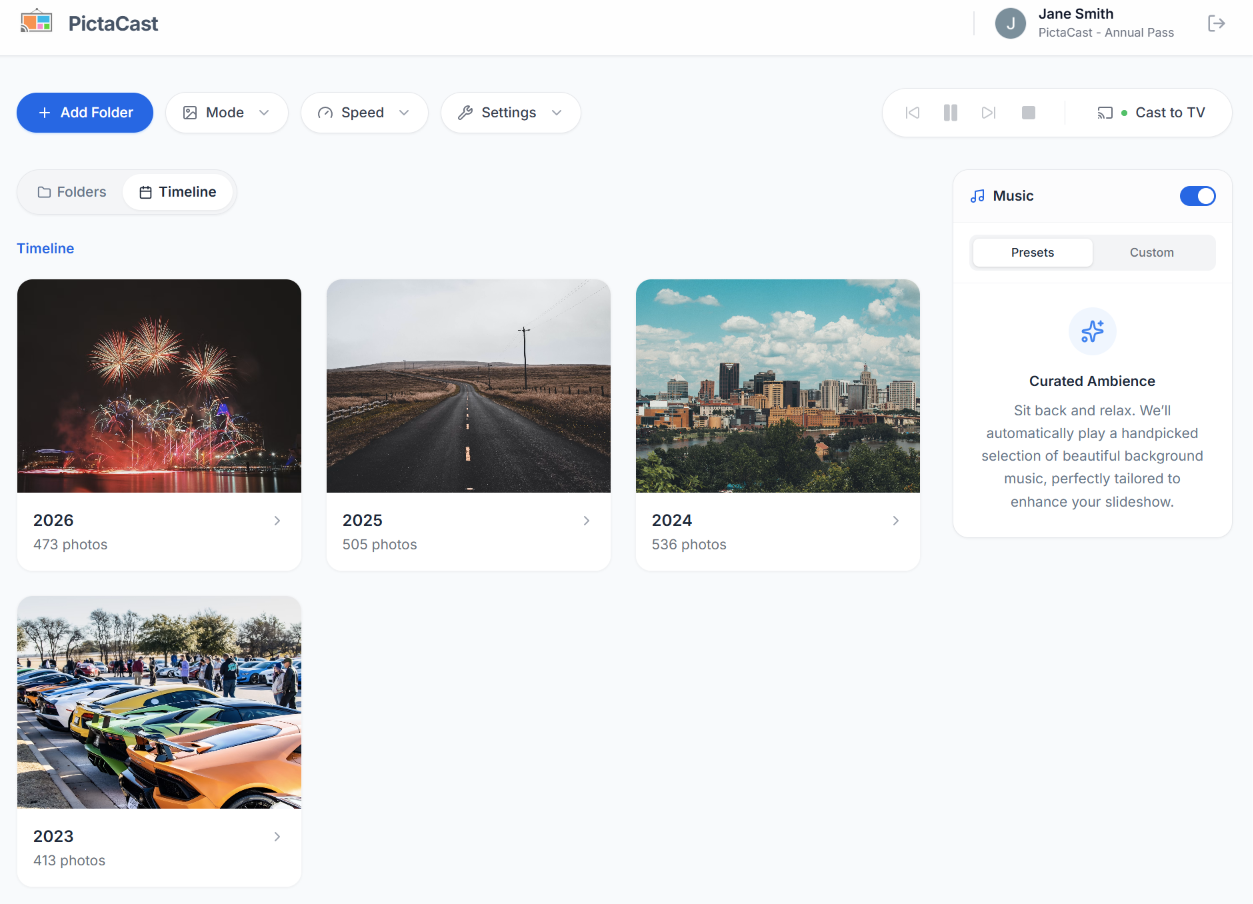
The new Timeline view grouped by years and months.
How it works
We designed this to feel as natural and snappy as the native photo apps on your phone:
- Drill down natively: Click on a Year to see the Months, click a Month to see the specific Days. You can cast a whole year or just a single afternoon.
- Seamless navigation: We integrated deeply with the browser's History API. That means if you drill down into "July 2024" and want to go back, you just click the back button on your mouse. You won't get kicked out of the app.
- Live updates: Add a photo to a monitored folder on your computer, and watch it instantly pop into the correct chronological spot on your timeline.
- Lightning fast: Once a folder is scanned, the dates are cached locally. The next time you open the app, your timeline is ready instantly.
100% Private, as always
Here is the most important part: we did not compromise on privacy.
Apps like Google Photos give you great timelines because they upload all your photos to their cloud servers to process them. PictaCast's EXIF parsing happens entirely inside your browser. Your photos never leave your hard drive, they are never uploaded to a server, and the timeline database lives purely in your browser's local storage.
Try the new Timeline view right now at app.pictacast.com.