The Classic is Back: PictaCast Returns as a Web App
After Chrome Apps were discontinued, the screen went dark. We're thrilled to announce that PictaCast has been completely rewritten from the ground up as a native web app.
PictaCast Team
If you've landed here, there's a decent chance you already know what PictaCast is. Maybe you used it years ago to run a slideshow at a family reunion, or rigged it up as a cheap digital sign at your café. Maybe you just miss having something that actually worked for getting photos onto a TV without jumping through hoops.
Either way — we have some good news.
What happened to the original app?
The short version: Google pulled the plug on Chrome Apps. Not just ours — all of them. The platform that PictaCast was built on simply stopped existing. One day your slideshow worked, the next day Chrome told you the app was no longer supported. We got hundreds of emails asking what happened.
Honestly, we were gutted. Over 100,000 people had used PictaCast. Ten thousand of them had paid for Pro. Walking away from that wasn't really an option.
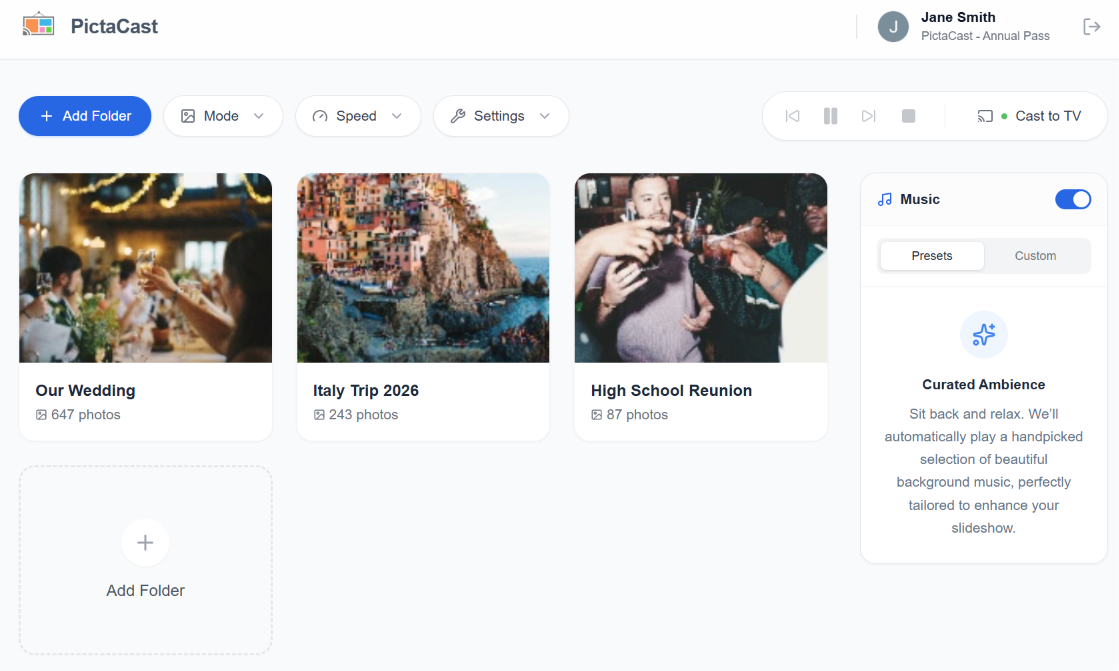
The new PictaCast — running right in your browser.
A fresh start, not a patch job
We didn't try to salvage the old codebase or shoehorn it into a new wrapper. We started over. Every line of code is new. The tech stack is modern — the app runs natively in your browser using the File System Access API, which means it can read folders straight off your hard drive without ever uploading anything.
The old Chrome App needed a separate install, had firewall headaches on corporate networks, and sometimes clashed with other extensions. None of that applies anymore. You open a URL, pick a folder, and cast. That's it.
Everything you remember, nothing you don't
We went through every single feature request and support ticket from the original app before writing a line of code. The things people actually used — those are all here:
- Pick any folder on your computer and cast it straight to your TV.
- Ken Burns pan-and-zoom for that cinematic feel.
- Picture Wall grids — four different layouts.
- Background music from your own MP3 collection.
- Live folder watching — drop a new photo in and it shows up on screen automatically.
The stuff that caused confusion or nobody used? We quietly left it behind. The result is something that feels faster and more focused. Fewer menus, fewer settings to get lost in. If you knew the old app, you'll feel right at home — just with less clutter.
For our returning users
We haven't forgotten about you. If you had a Pro license on the original Chrome App, you're automatically eligible for 50% off the Lifetime License on the new web app. No codes to dig up — just open the app and it'll be waiting for you.
Give it a spin at app.pictacast.com. Ten minutes free every day, no sign-up wall.